
Before you can authenticate with the TMDB API, ensure you have a TMDB account.
Get Your API Key
- Go to TMDB and log in to your account.
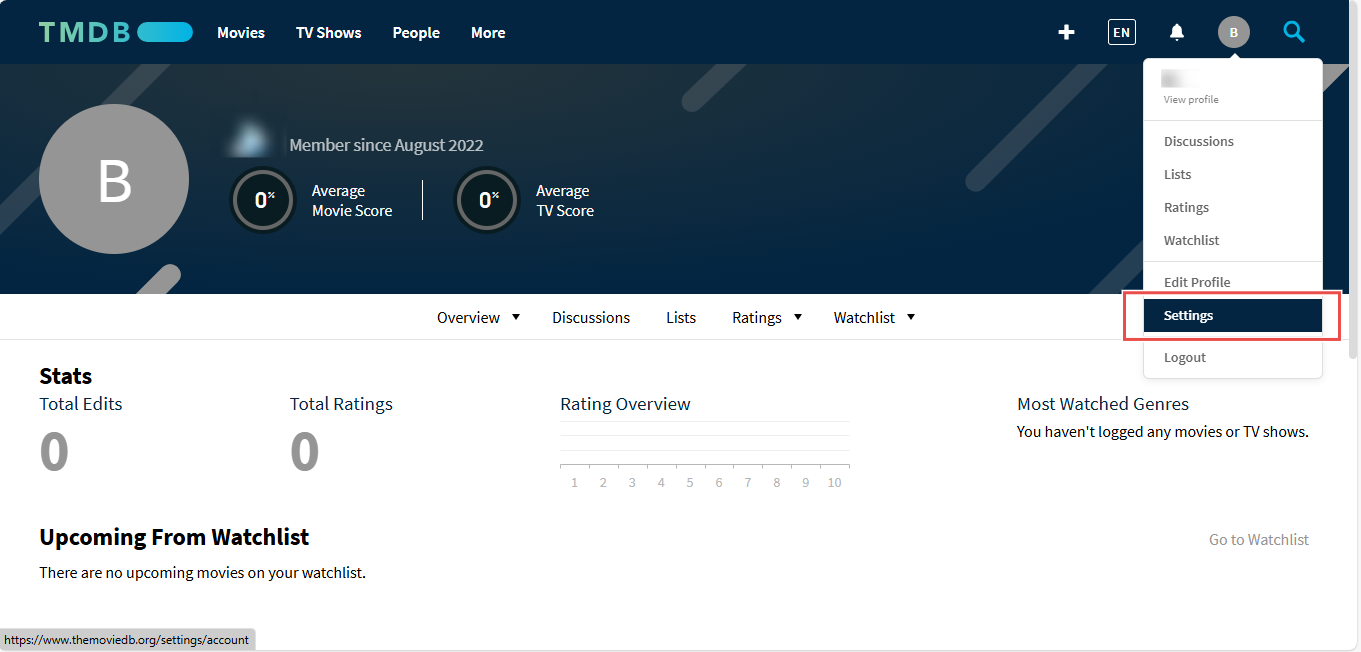
- Navigate to your Account Settings by clicking on your profile picture and selecting Settings from the dropdown menu.
- In the left sidebar, find and click on API.
- Click on Create API Key, and choose the type of API access you need
- Once approved, you’ll receive your API key, which you can use to authenticate API requests.
Keep your API key secure and do not share it publicly. If compromised, you may need to revoke
and regenerate a new one.